
Dashboard guide
Check your plan and capacity in one place
Use Billing to review the current workspace plan, available conversations and the next account-specific action.

Short answer
Billing is the starting point for your workspace's current plan, available AI Conversations and subscription controls. Review payment notices, open Usage for consumption and expiry details, or Manage subscription for renewal and billing options. The figures belong to the selected workspace. Its live agreement and checkout determine the actual amount and entitlement.
Review the current workspace state
Open Billing and check the current plan and any Payment action required notice. The example shows an existing workspace plan and its remaining conversation capacity. It is an account-specific illustration, not a public offer or a promise that every visible configuration page is included in every subscription.
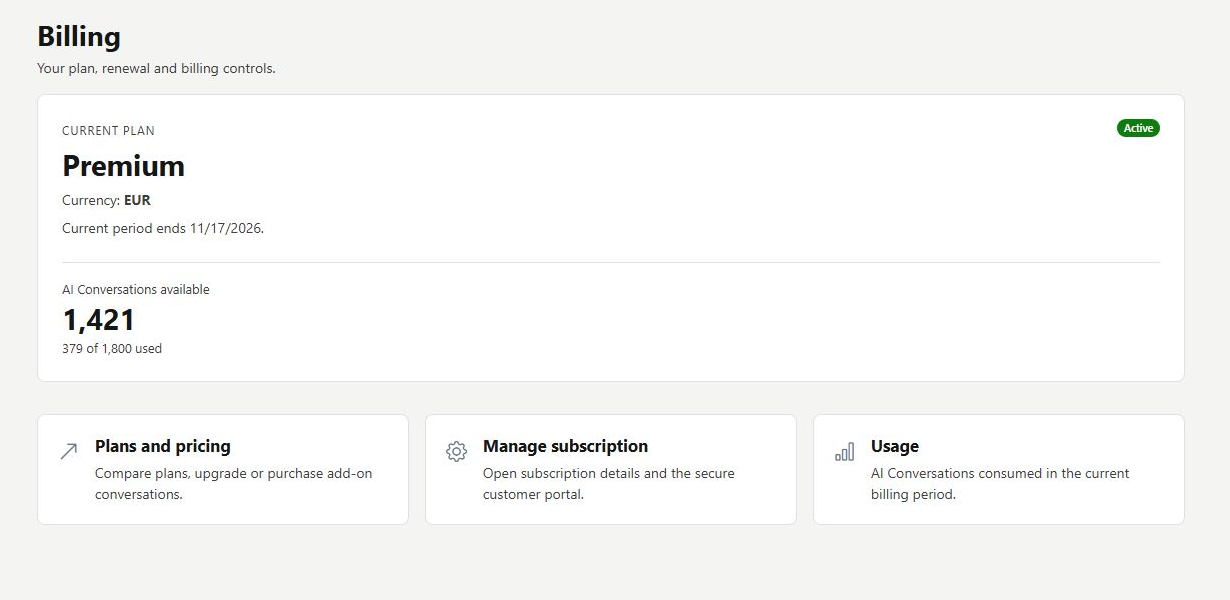
Choose the next view for the question
Open Usage to understand consumed and remaining capacity, its period and any add-on expiry. Use Manage subscription for renewal, invoices or payment-method tasks in the supported billing flow. Plans and pricing is for comparing the available live catalogue; review the actual offer before making a financial commitment.
- Separate a payment prerequisite from an answer-quality problem.
- Check the current workspace before interpreting balances.
- Ask for account-specific support when an amount needs investigation.
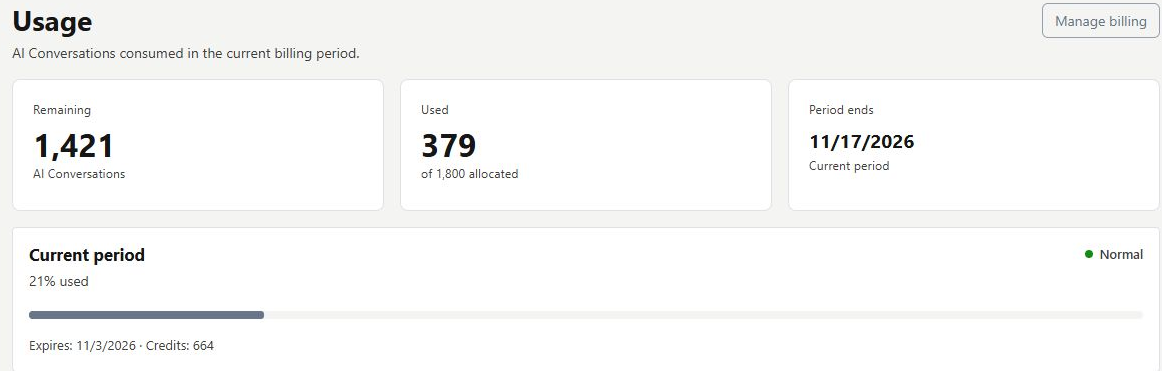
What you can do
Use the visible controls to review the setup and choose the next step.
- Review the current plan and payment notices.
- Open detailed conversation usage.
- Navigate to subscription management.
- Keep account-specific figures separate from general product offers.
Continue with the Dashboard guides or your inbox.
Good to know
No. Check the actual agreement and live entitlement.
Before you begin
Open the intended workspace and review the current state.
- Check the active workspace and your access.
- Review the relevant information and available controls.
- Verify the result after making an intended change.