
Customer conversations
Your conversations, all in one inbox
See what customers asked, what they received and which conversations need your team. Keep messages, product recommendations and customer context together.

Short answer
Your inbox brings customer questions, AI answers and team replies into one conversation. Open an enquiry to see the exchange and its available customer context, then use date, activity and ownership views to find the work that needs attention. Finished conversations remain available in Done when you need to look back.
Start with a customer question
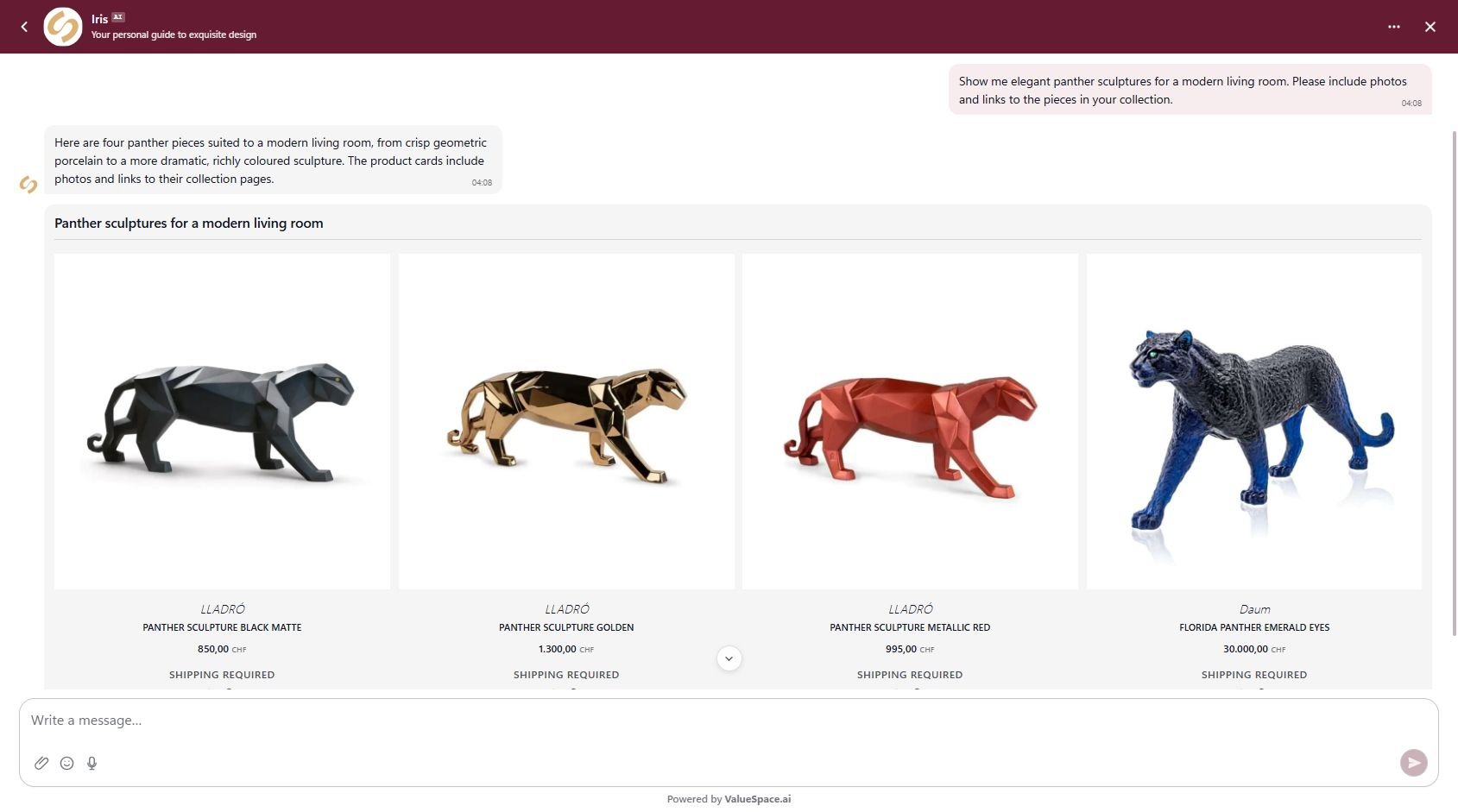
A shopper asks for something specific. The reply can include product photos, prices and links from the connected catalogue. Your team can see what was actually offered before continuing the conversation.
See the full story in your inbox
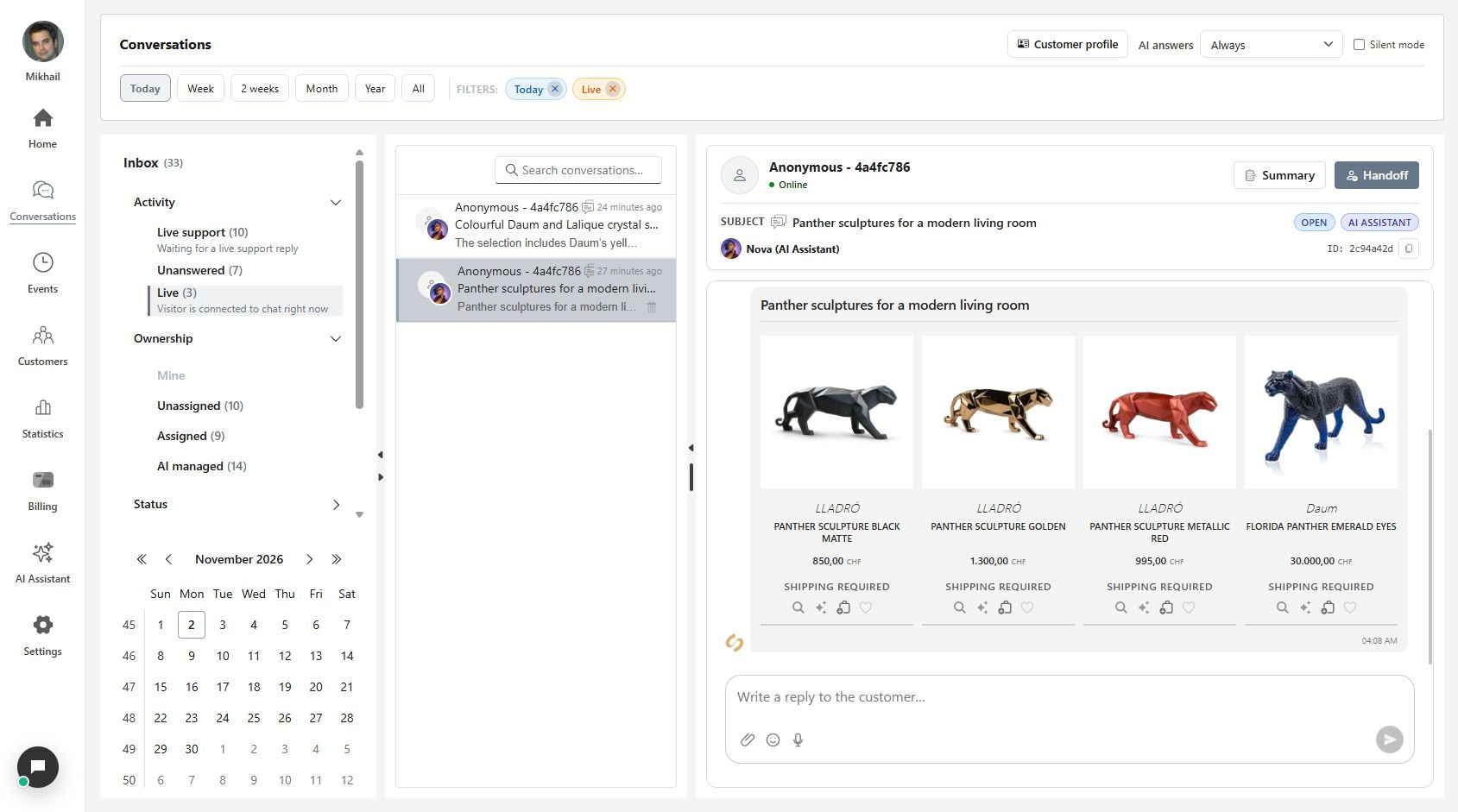
Open the same enquiry in Conversations. The messages and product recommendations stay together, alongside the current handling state and reply box. A colleague can pick up the context without asking the shopper to start again.
- Read the exchange before replying or handing it to a teammate.
- Available profile and order details depend on your connected services.
Find the conversation you need
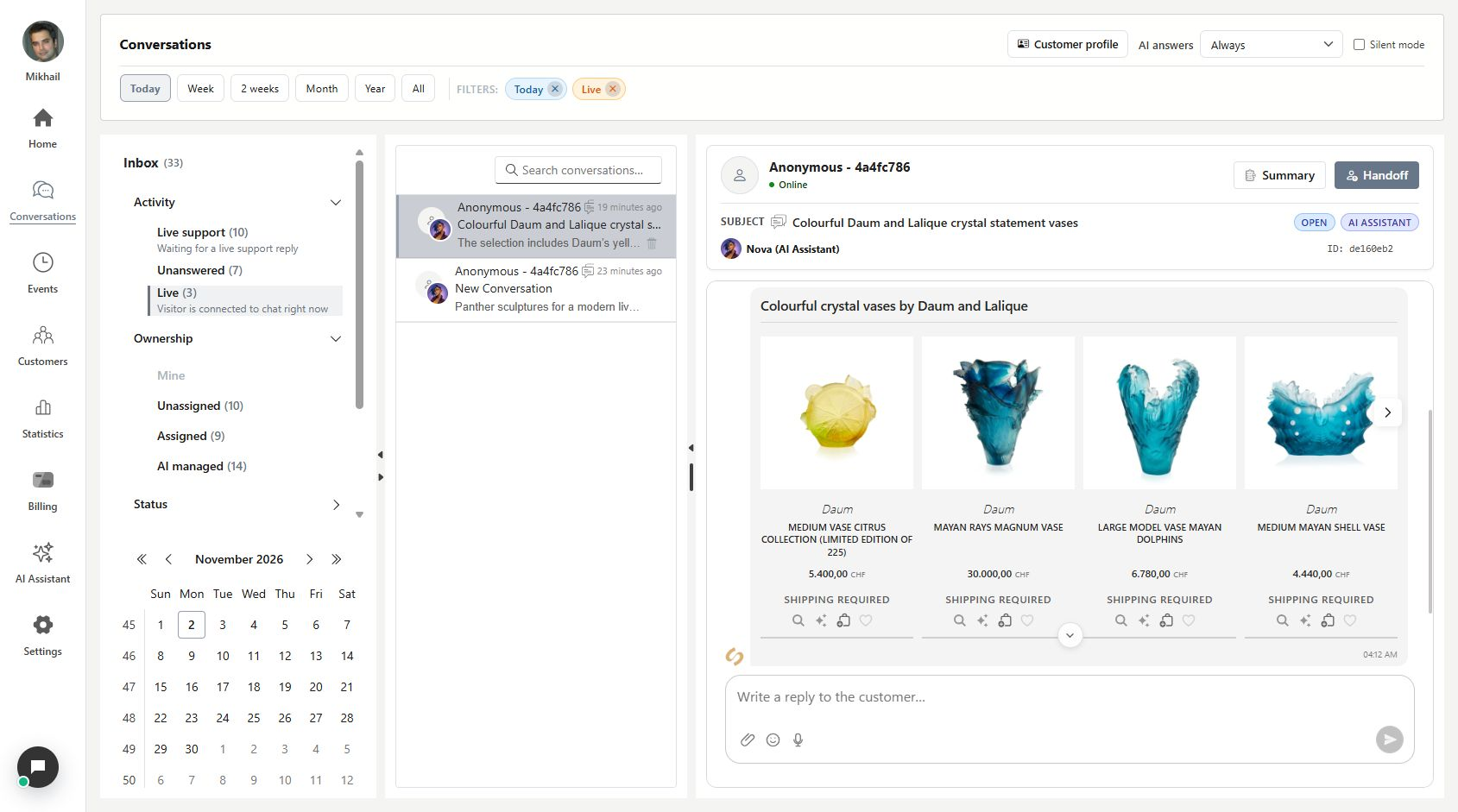
Use the period, search and activity views to narrow your list. Unanswered finds the latest customer questions without a later reply. Mine and AI managed tell you who handles the work. For an older exchange, check Done and broaden the date range.
- Reading a message does not answer it. Unread and Unanswered describe different things.
- Completed sessions close and archive automatically. Their history remains available beyond seven days; a recent-date filter can simply hide an older exchange.
What you can do
Follow the conversation from the first question to the next reply.
- A shared customer-support inbox for Owner, Admin and Support members.
- Customer, AI and team messages stay in the same conversation history.
- Date, activity and ownership views help your team find the next request.
- Inbox holds active work; Done keeps finished conversations available for review.
Continue with From AI to your team or Catch up on a conversation in seconds.
Good to know
Yes, when the conversation contains supported catalogue cards. The demonstrated enquiries include photos, prices and product links. What is available depends on the connected service and its catalogue.
Start with one real enquiry
Open Conversations in the workspace you want to review.
- Choose the relevant period and conversation.
- Read what the customer asked and what they received.
- Reply, hand over or return later with the context intact.