
Conversation insights
Catch up on a conversation in seconds
See the customer’s intent, the progress so far and a suggested next step before you reply. Open the original exchange whenever a detail matters.

Short answer
Open Summary in a customer conversation to get a concise overview of the request, progress and a suggested next step. The same view shows the current assignment, key dates, message counts and lifecycle. Use it to orient yourself, then check important details in the original messages before replying or making a decision.
Understand the request before you reply
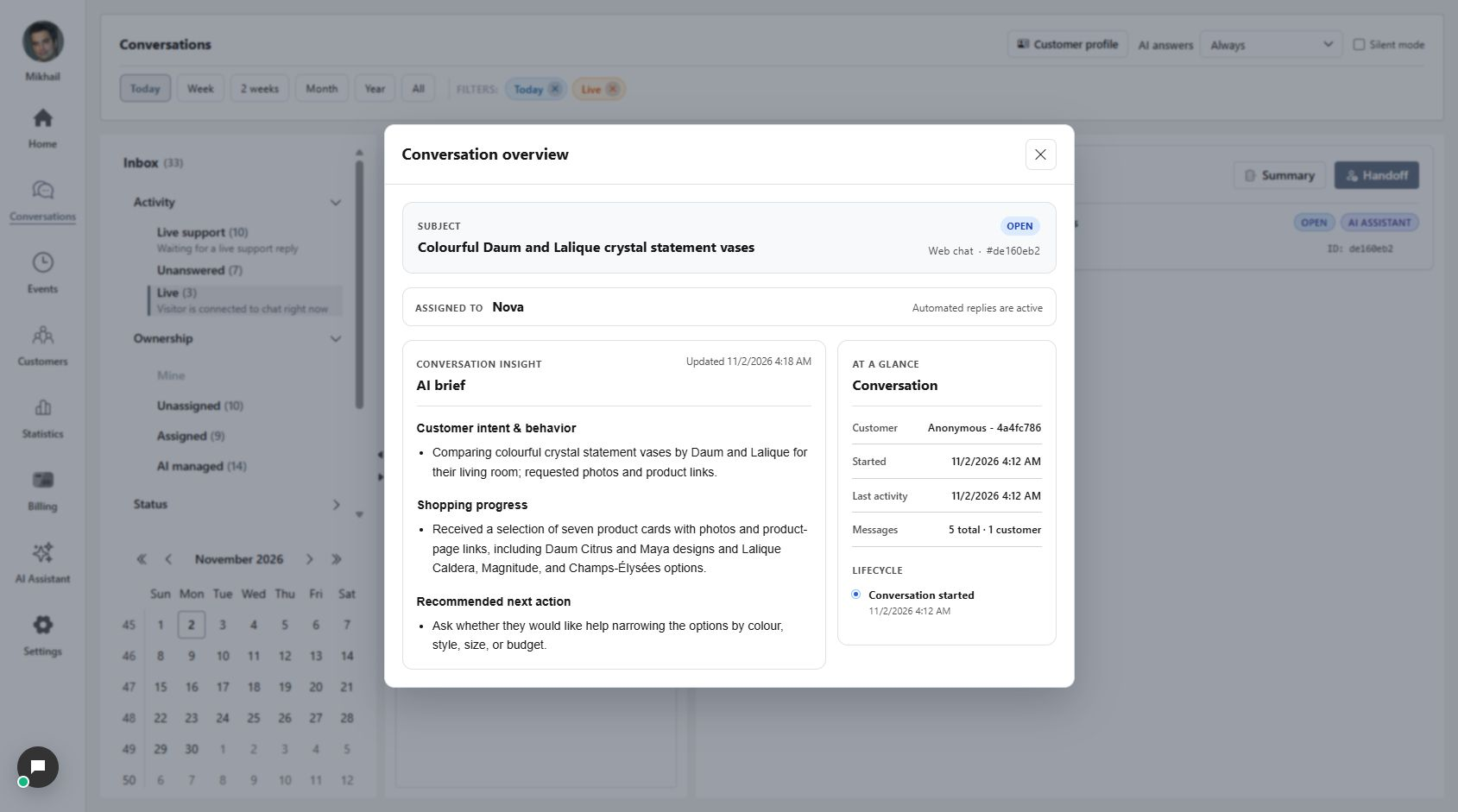
A customer has been comparing crystal vases. Instead of piecing the story together from every message, open Summary. The brief groups the customer’s intent, shopping progress and a recommended next action so you can decide where to pick up.
- At a glance shows the customer, key dates and message counts.
- Assignment and lifecycle describe the current conversation state.
Check the detail in the original conversation
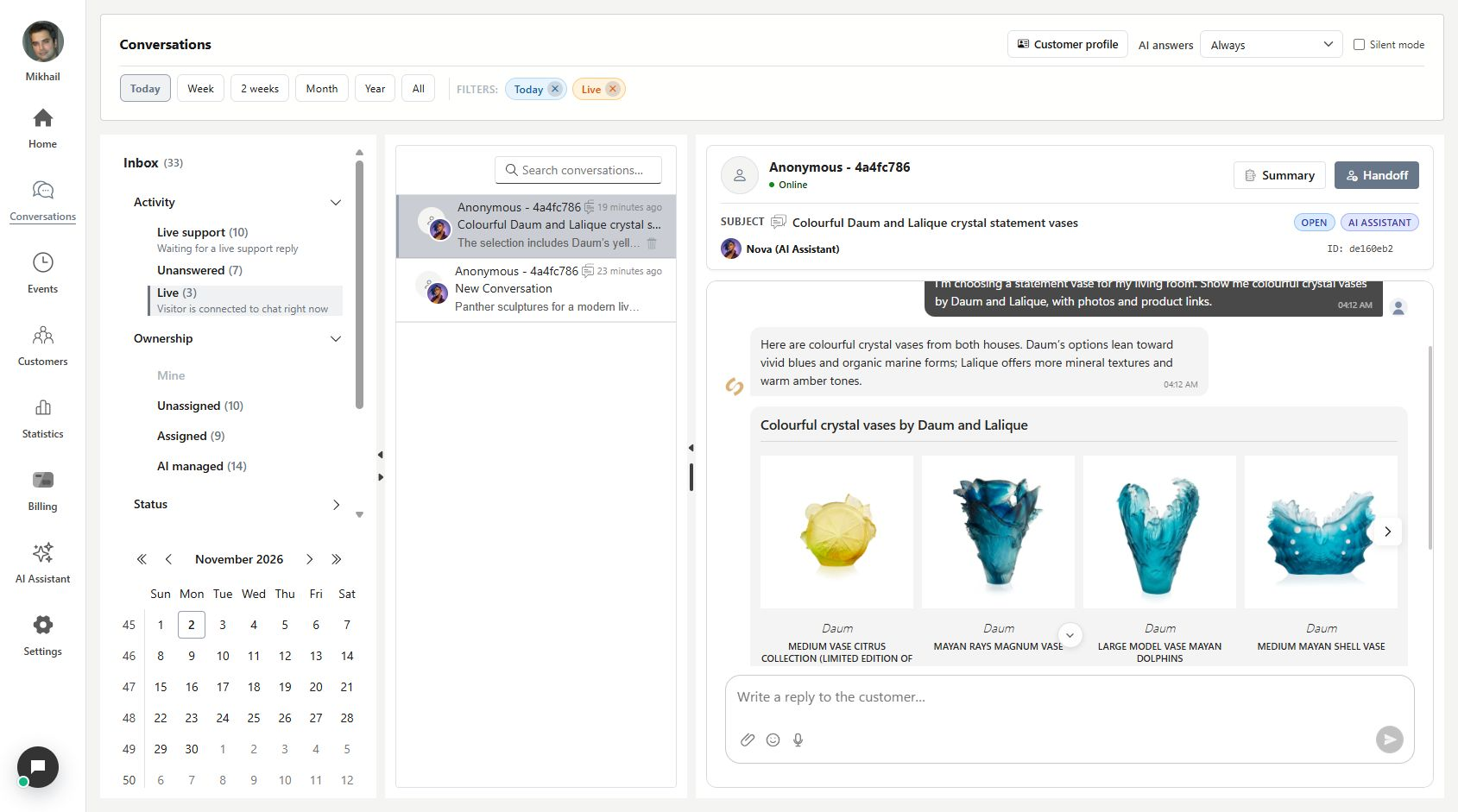
The brief is a reading aid. Open the exchange to confirm an exact product, price, request or commitment. In this example, the original message and illustrated recommendations let a colleague check what the customer asked for and what was shown.
Choose a useful next step
A recommendation to ask about colour, size or budget is a suggestion for your colleague. It does not mean the question has been sent, a product selected or a sale completed. Reply, hand over or leave the conversation with AI according to the actual request.
What you can do
Use a concise brief as a starting point for a thoughtful response.
- Review a generated brief within the selected customer conversation.
- See customer intent, progress and a recommended next action together.
- Check assignment, dates, message counts and lifecycle in the overview.
- Return to the original messages to verify important details.
Continue with Your conversations, all in one inbox or From AI to your team.
Good to know
No. It opens or prepares an internal overview. A suggested next step still needs the appropriate reply or action; generating a brief does not send that suggestion to the customer.
Read the brief, then make the call
Use the overview to find the next useful action without losing sight of the original request.
- Open a customer conversation and choose Summary.
- Check the brief and current assignment.
- Verify important details before replying or handing over.