
AI and your team
From AI to your team
Let a teammate take over when a customer needs personal attention. Keep the conversation intact and return it to AI when the time is right.

Short answer
When a customer needs a person, hand the conversation to an eligible teammate from your inbox. The existing messages and recommendations stay in place, and AI stops replying to that conversation while a human handles it. You can return the conversation to AI with an explicit confirmation, without changing your workspace-wide answering mode.
Let your team take over
Open the enquiry, choose Handoff, select an eligible teammate and confirm. The conversation changes to Human agent and records the transfer in its history. Check presence when choosing a colleague, but do not assume that assignment guarantees an immediate reply.
- Review the customer request and earlier answers before taking control.
- This changes the selected conversation. The workspace AI answers setting remains separate.
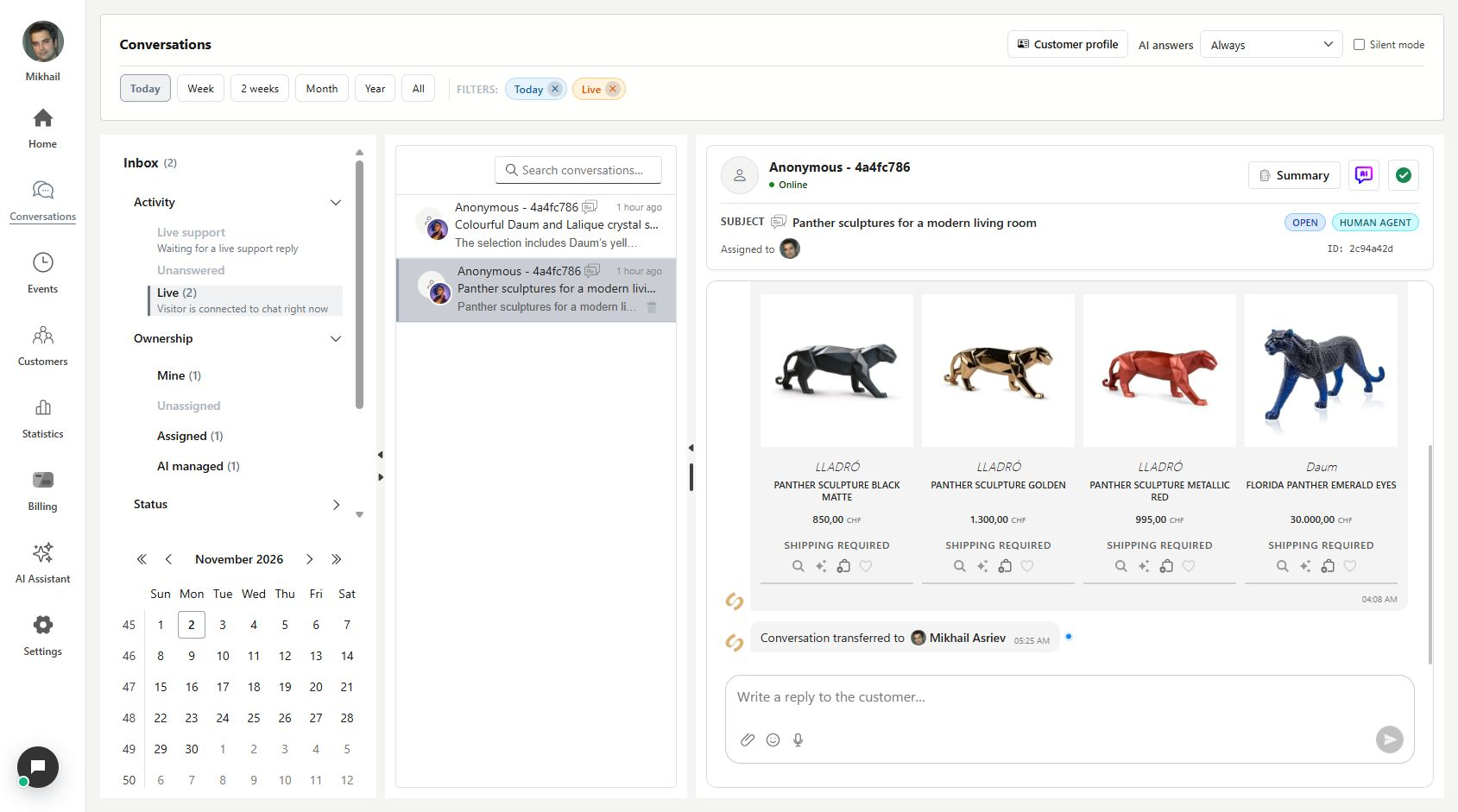
Choose when to hand it back
When AI should handle the next part, use the return-to-AI control. The confirmation explains the change before you apply it. This is useful when the conversation no longer needs a colleague to own every response.
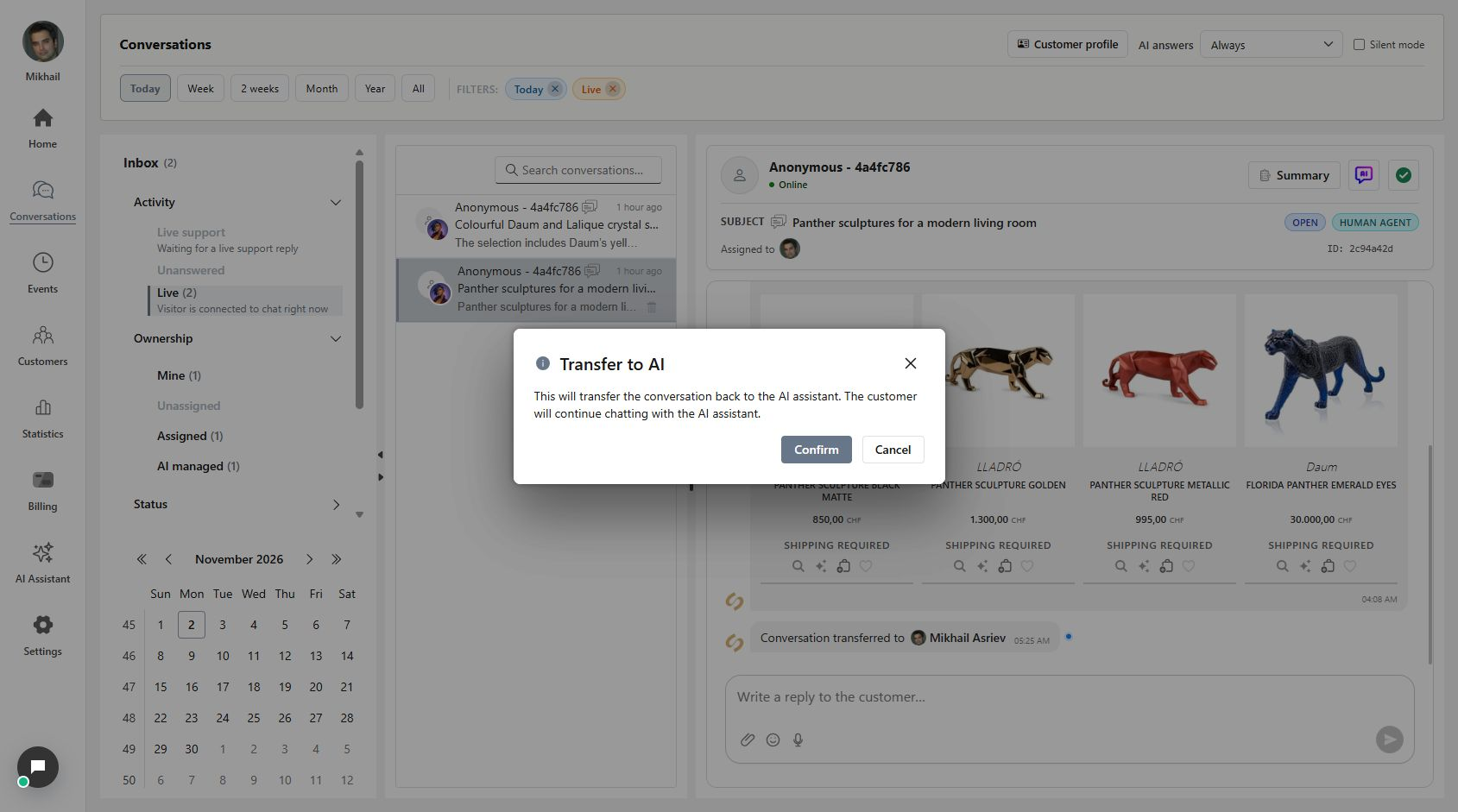
Keep the history, change who replies
After confirmation, the AI assistant badge returns. Earlier messages, product recommendations and transfer entries remain in the same thread. If the latest real customer question is still unanswered, AI can resume it with the existing context. If it already has an answer, it waits for the next question.
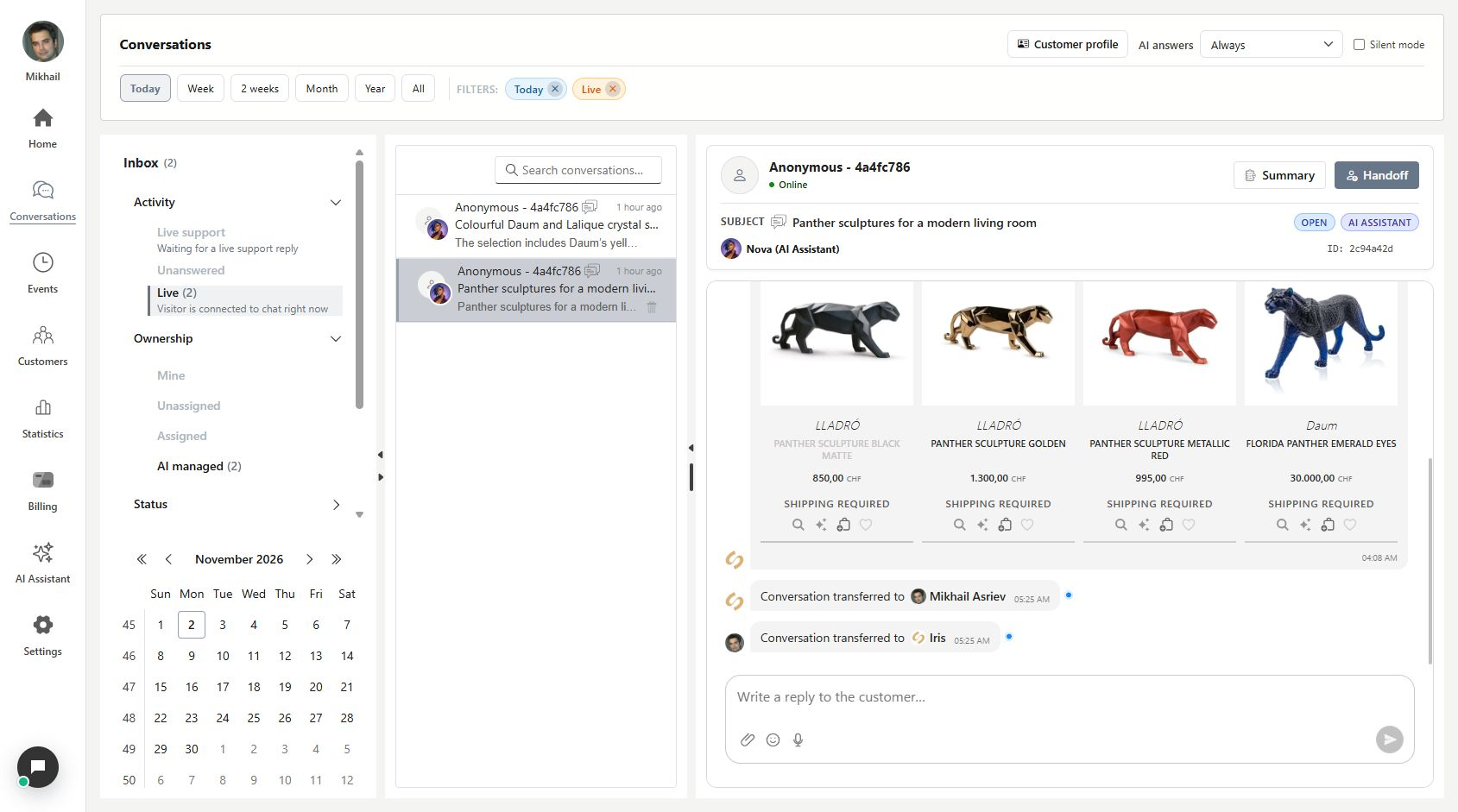
What you can do
Choose who handles a request while keeping the same customer context.
- Assign an eligible human teammate to one customer conversation.
- Pause AI replies for the conversation under active human handling.
- Confirm a return to AI without erasing the conversation history.
- See ownership transitions alongside the exchange they belong to.
Continue with Your conversations, all in one inbox or Catch up on a conversation in seconds.
Good to know
No. Conversation assignment changes who handles the selected enquiry. The workspace-wide AI answers setting is a separate control.
Make the next owner clear
Use the conversation state and history to confirm who should reply next.
- Read the request before transferring it.
- Check the selected teammate and the resulting Human agent state.
- Use the separate confirmation when returning the conversation to AI.