
Dashboard guide
Read the customer context you actually have
Open a visitor profile to review available contact information, activity and orders, with clear empty states when no data is recorded.

Short answer
A visitor profile brings the available customer context into one place. Review contact and account details, activity and orders before continuing an enquiry. The profile can be opened from customer-facing work areas, but its contents depend on recorded activity and connected sources. An empty activity tab is different from a failed load or proof that the person has never visited.
Start with the available identity and account context
Open the profile from a customer record, event or conversation. Check the visitor reference, current activity information and the Customer tab. An anonymous profile may show a language and membership date without email, phone or a connected account. Use that limitation when choosing what to ask next.
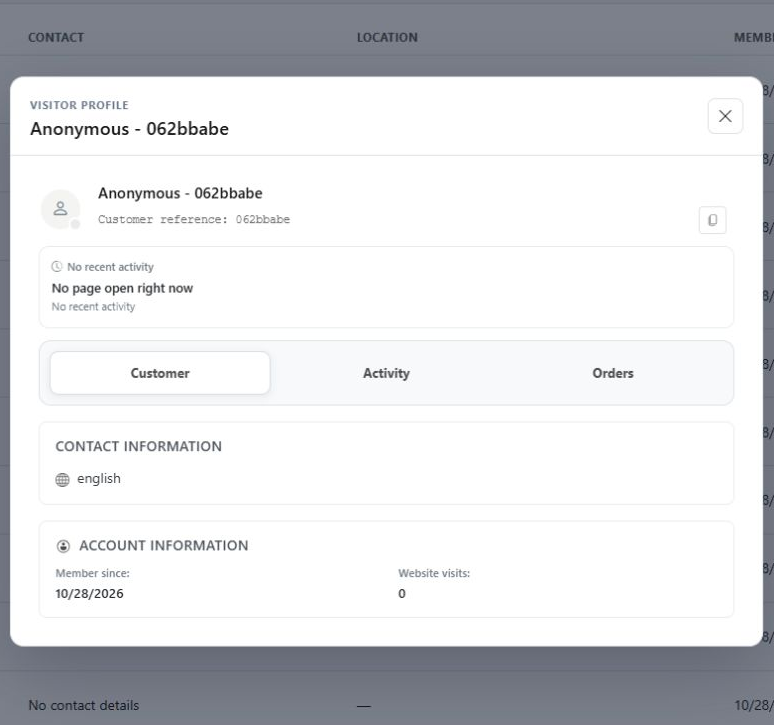
Read activity and orders within their recorded scope
Switch between Customer, Activity and Orders. The example shows an anonymous record with no recorded activity in its activity view. This explicit empty state keeps missing information visible. When order context is available from a connected source, verify the specific order before discussing its status with the customer.
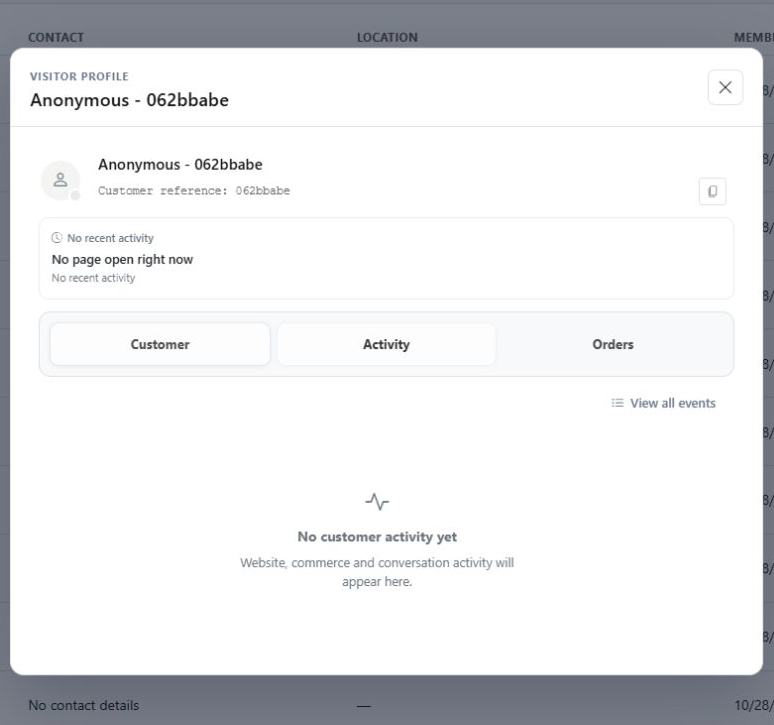
What you can do
Use the visible controls to review the setup and choose the next step.
- Open a shared visitor profile from related customer-work areas.
- Review available contact and account context.
- Switch to recorded Activity and Orders.
- Recognise explicit empty states without inventing missing details.
Continue with the Dashboard guides or your inbox.
Good to know
No. It describes the records available in this context. Tracking, source coverage and identity matching can limit what appears.
Before you begin
Open the intended workspace and review the current state.
- Check the active workspace and your access.
- Review the relevant information and available controls.
- Verify the result after making an intended change.