
Dashboard guide
Keep customer records useful and factual
Find the customer information your workspace holds, inspect the record and add known details without inventing a profile.

Short answer
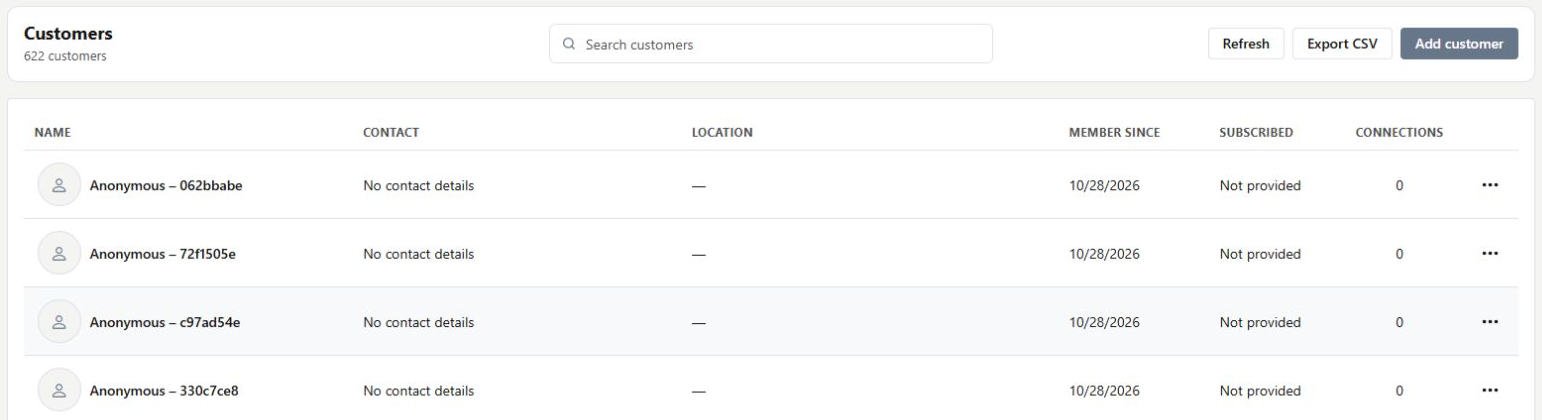
Customers gives your team a searchable directory of the records available in the workspace. Find a customer, inspect the stored details or prepare a new record using information you actually know. Anonymous visitors can appear without contact details or connected accounts. A directory entry is useful context, but it is not proof of a verified identity, consent or a completed order.
Find the information you actually have
Open Customers and use Search customers. Review the name, contact, location, membership, subscription and connection columns as available. Anonymous records can legitimately have no contact details. Open a profile for more context rather than filling gaps with an assumption about who the visitor is.
Add a record only from known details
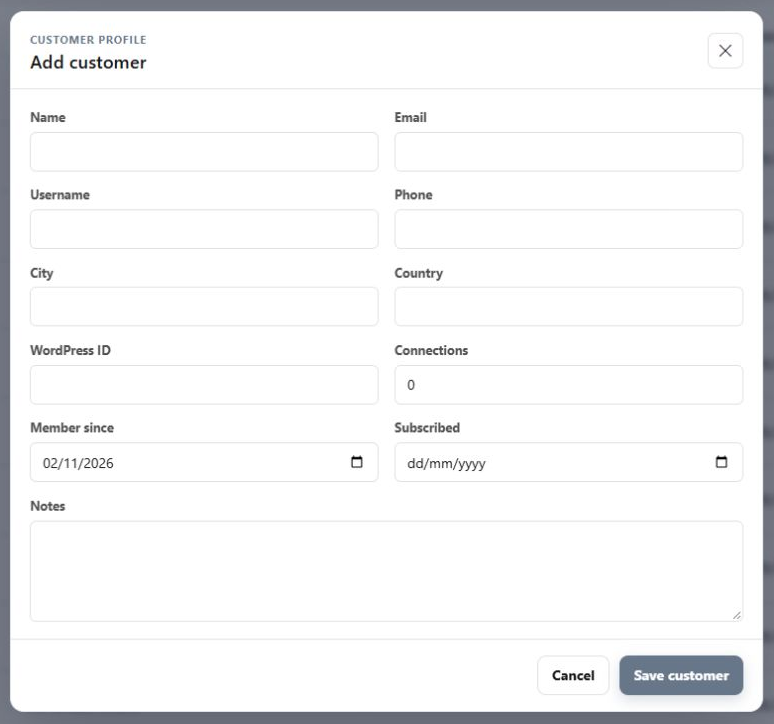
Choose Add customer to prepare the available identity and contact fields, source context and notes. Review the intended record before Save customer. The example shows the real form without submitting a new customer. Export CSV and record actions are separate choices that should match the business task and permitted use of the data.
What you can do
Use the visible controls to review the setup and choose the next step.
- Search the customer directory.
- Inspect available record and contact fields.
- Open a visitor profile from a record.
- Prepare a new customer through the explicit add-and-save flow.
Continue with the Dashboard guides or your inbox.
Good to know
A visitor may not have supplied contact information. Keep missing details as missing rather than treating the anonymous identifier as a verified person.
Before you begin
Open the intended workspace and review the current state.
- Check the active workspace and your access.
- Review the relevant information and available controls.
- Verify the result after making an intended change.