
Dashboard guide
Prepare customer messages with the audience in view
Review channel readiness, booking rules and delivery history before sending a test or a small campaign.

Short answer
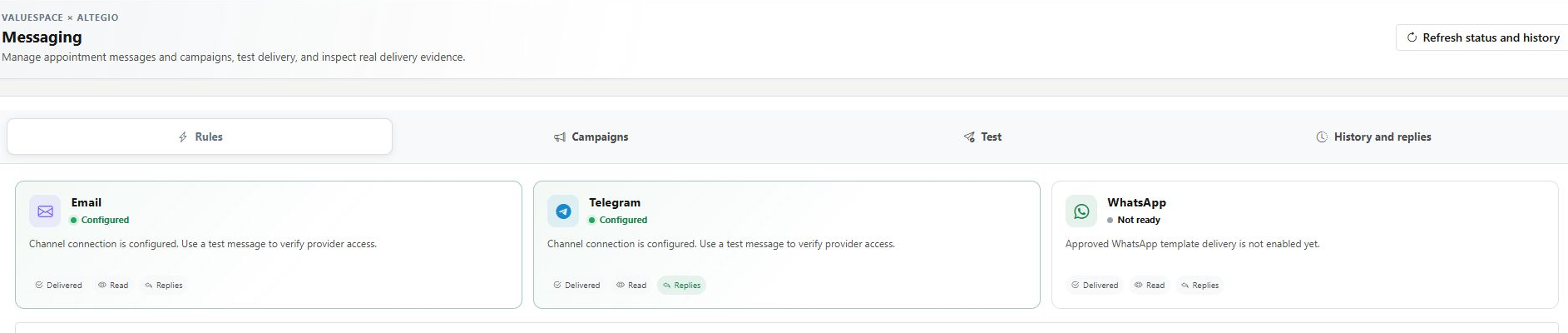
Messaging brings together supported booking communications, channel tests, small campaigns and delivery history. Check channel readiness first, then review the audience, purpose and exact message before sending. The current workflow supports email and Telegram; WhatsApp is shown unavailable here. Ready describes configuration prerequisites, not proof that a real message was delivered or read.
Check the channel before planning the send
Open AI Assistant > Messaging. Review each channel's readiness and the delivery, reading or reply evidence it can provide. A channel can be configured without a successful live provider health test. If it is Not ready, follow the displayed reason instead of assuming a saved connection is sufficient.
Prepare a booking rule before enabling it
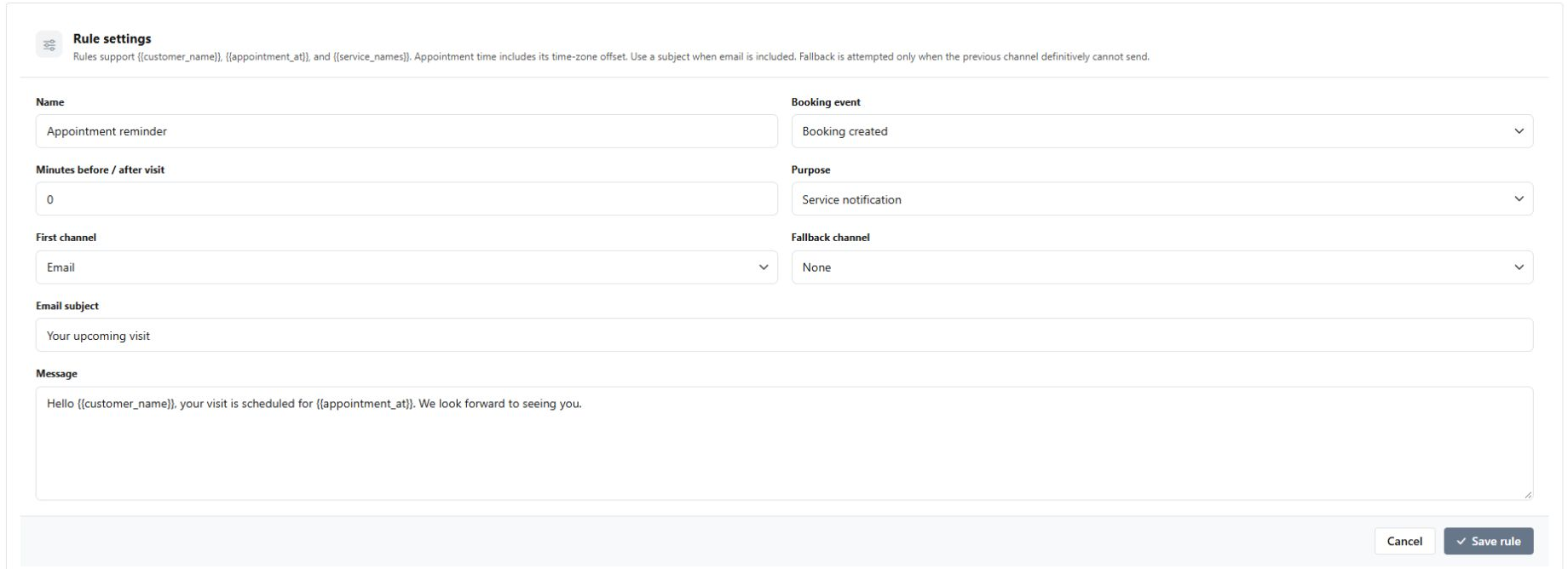
In Rules, choose the supported booking event, timing, purpose and channel order. The appointment example below is prepared but unsaved. Saved new rules begin paused; review them before enabling. Booking-triggered communications also depend on the relevant booking-system connection. A fallback is appropriate only when the earlier channel definitely cannot send, not when the submission outcome is unknown.
- Tests can reach a real recipient: review the exact message and permission acknowledgement.
- Campaigns accept up to 50 selected customers and require explicit queuing.
- Check History for acceptance, failure or an unknown result before retrying.
What you can do
Use the visible controls to review the setup and choose the next step.
- Review email and Telegram readiness.
- Prepare supported booking-triggered rules.
- Review a direct test or a small campaign before sending.
- Inspect outcome evidence without equating acceptance with delivery.
Continue with the Dashboard guides or your inbox.
Good to know
No. It indicates configuration prerequisites. Provider acceptance, delivery, reading and reply evidence are different states.
Before you begin
Open the intended workspace and review the current state.
- Check the active workspace and your access.
- Review the relevant information and available controls.
- Verify the result after making an intended change.