
Dashboard guide
Try the next reply before customers see it
Rehearse customer questions against saved behaviour and real knowledge while business actions and handoffs remain simulated.

Short answer
Personality rehearsal lets you inspect how saved draft behaviour responds to representative questions. It uses the real model and knowledge, while each question starts a separate conversation and business actions or handoffs are rehearsed. Review the answers yourself before publication: a rehearsal result is useful evidence, but it does not certify correctness or complete a customer action.
Choose the questions that expose a weak answer
Open the test area in Assistant behavior. Use the built-in starter questions or your own representative questions. Include a normal request, an unsupported guarantee and a request to speak to someone. The test uses the saved draft, so save intended behaviour before judging a revision.
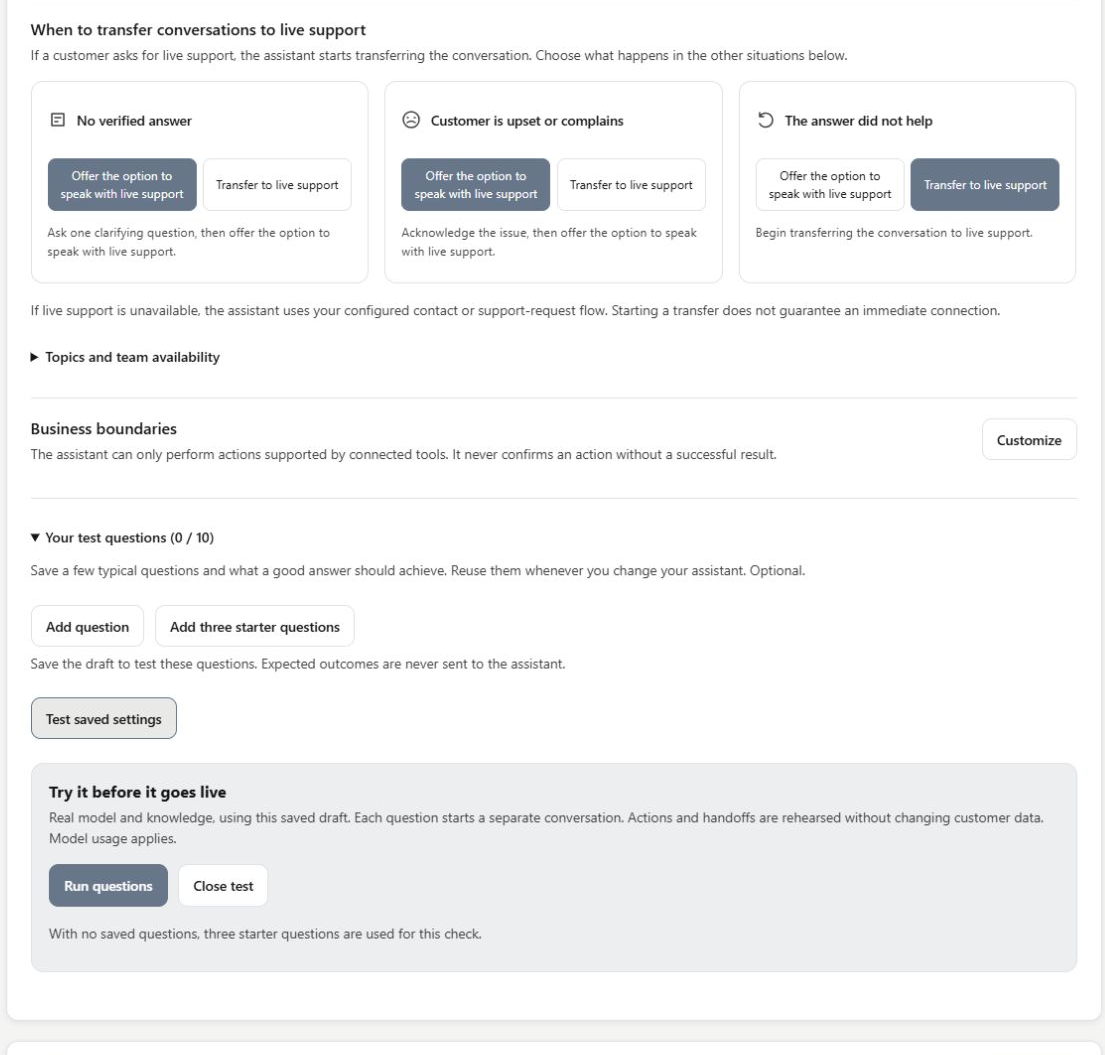
Read the answer and the boundary together
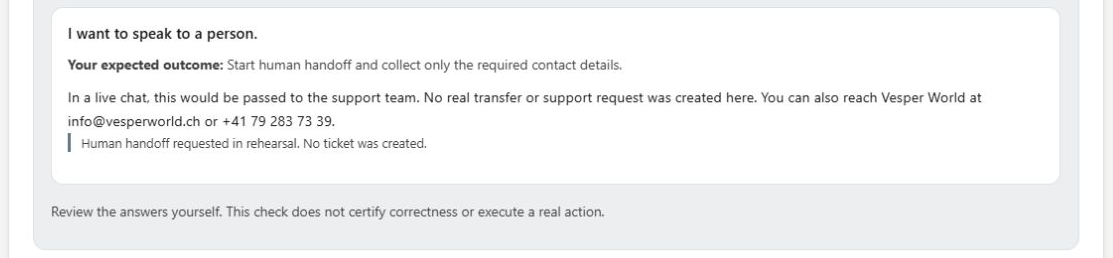
Run the questions and inspect each response. In this example the assistant explains its scope, declines to invent a guarantee and recognises the request for a person. The handoff result explicitly says that no ticket was created. Real model usage still applies, even though the business action is simulated.
- Each question is an independent conversation, so do not read the batch as a multi-turn customer exchange.
- A person decides whether the answer is accurate and suitable.
What you can do
Use the visible controls to review the setup and choose the next step.
- Run built-in or saved test questions.
- Use saved draft behaviour with the real model and knowledge.
- Inspect simulated action and handoff results.
- Review answers before deciding whether to publish.
Continue with the Dashboard guides or your inbox.
Good to know
No. The result identifies the requested handoff as rehearsed and states that no ticket was created.
Before you begin
Open the intended workspace and review the current state.
- Check the active workspace and your access.
- Review the relevant information and available controls.
- Verify the result after making an intended change.