
Dashboard guide
Choose a voice that fits your customers
Start with a personality, refine the communication style and review the greeting before publishing saved behaviour.

Short answer
Response personality helps your customer service sound consistent. Choose a starting personality, then review the assistant name, greeting and communication controls against the situations your customers bring. Save a draft and rehearse it before publication. Style changes how an answer is expressed; it does not add business facts, authorise actions or guarantee an outcome.
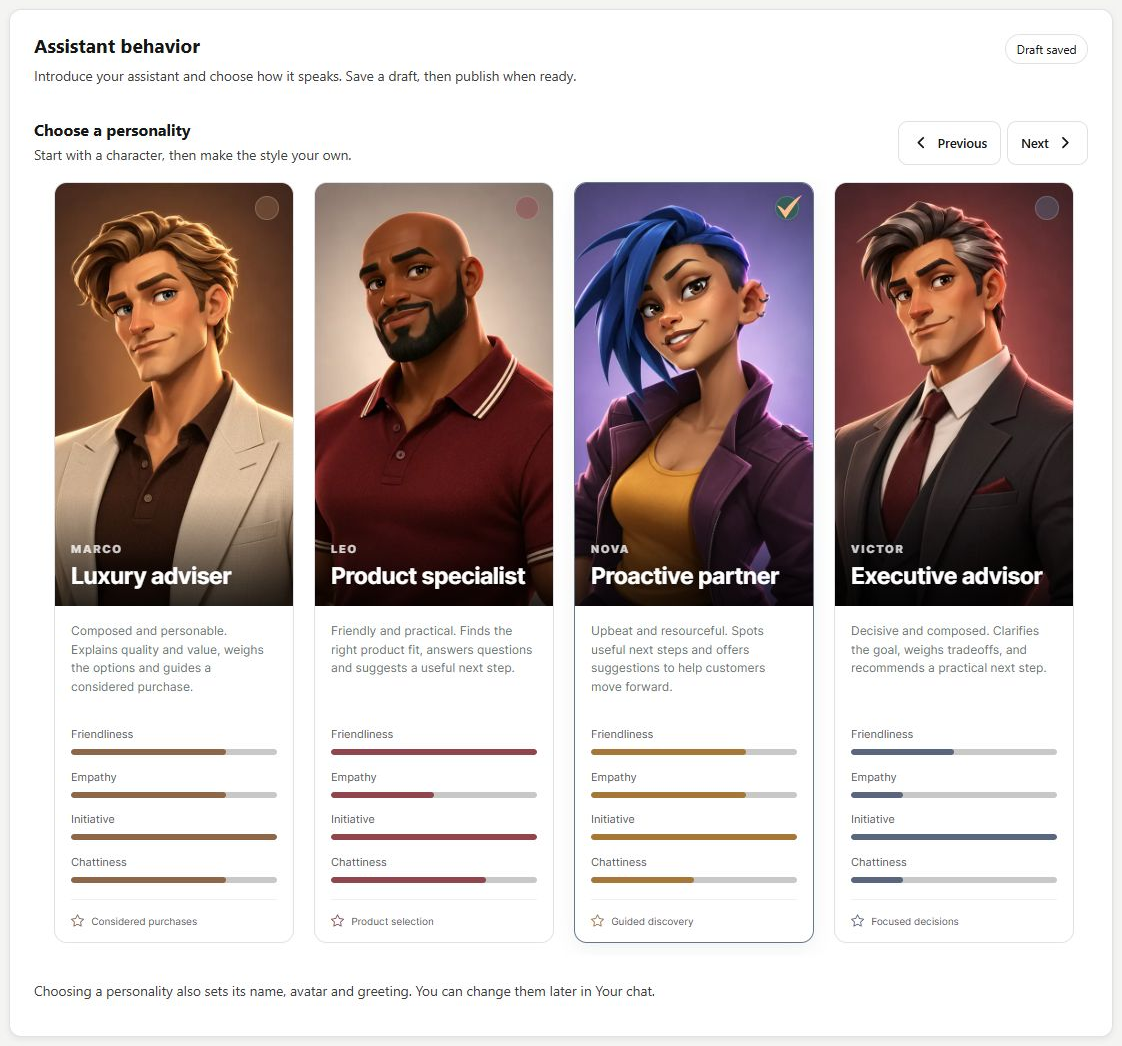
Start from a recognisable communication style
Open Setup > Assistant behavior and browse the personality gallery. Compare the cards against your business: a direct adviser and an exploratory guide invite different conversations. Review the selected name and greeting in the customer language instead of relying on the card portrait to communicate the service.
Refine the expression, then review it
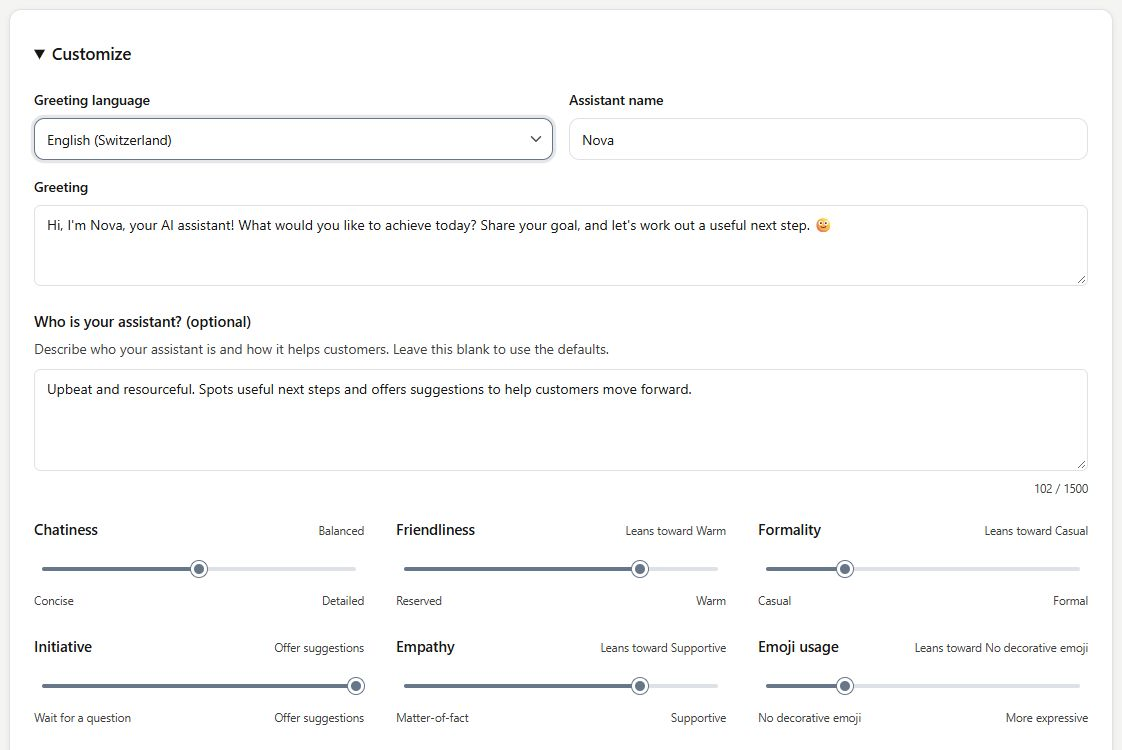
Use Customize to inspect the greeting and style controls, including level of detail, friendliness, formality, initiative, empathy and emoji use. Review the combined effect with realistic questions. Use saves the selected draft; Publish makes the saved behaviour live. Recheck widget identity afterwards if the personality supplies identity defaults.
- Initiative describes conversational style, not permission to perform new actions.
- The greeting language is distinct from your personal Dashboard language.
What you can do
Use the visible controls to review the setup and choose the next step.
- Browse personality starting points.
- Review name and customer-language greeting.
- Adjust the visible communication controls.
- Save a draft, rehearse and publish through separate steps.
Continue with the Dashboard guides or your inbox.
Good to know
Review the saved draft and publication state. Use saves a draft; Publish makes saved behaviour live.
Before you begin
Open the intended workspace and review the current state.
- Check the active workspace and your access.
- Review the relevant information and available controls.
- Verify the result after making an intended change.