
Dashboard guide
Understand where website enquiries begin
Read visitor and page-entry attribution with its coverage limits, including Direct / unknown and unavailable order-linked revenue.

Short answer
Website sources helps you review recorded website visitors and the sources associated with them. Choose a period and inspect the visitor counts, page entries and source distribution. Attribution depends on the available browser evidence and reliable links to business activity. Direct / unknown and hidden revenue are meaningful limits, not numbers to replace with a guess.
Read visitors and page entries as different measures
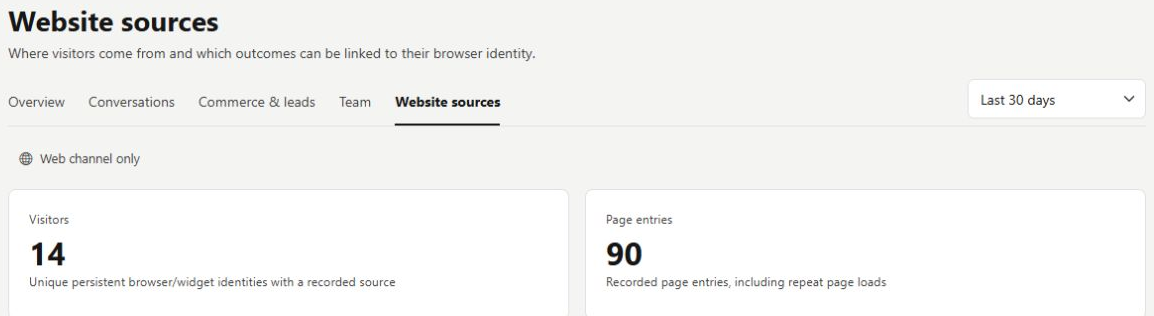
Open Statistics > Website sources. The report identifies website visitors using persistent browser identities and separately counts recorded page entries. A returning browser is not automatically a new person, and a person using another device may appear separately. Read the source distribution within that measured scope.
Keep uncertainty visible when comparing sources
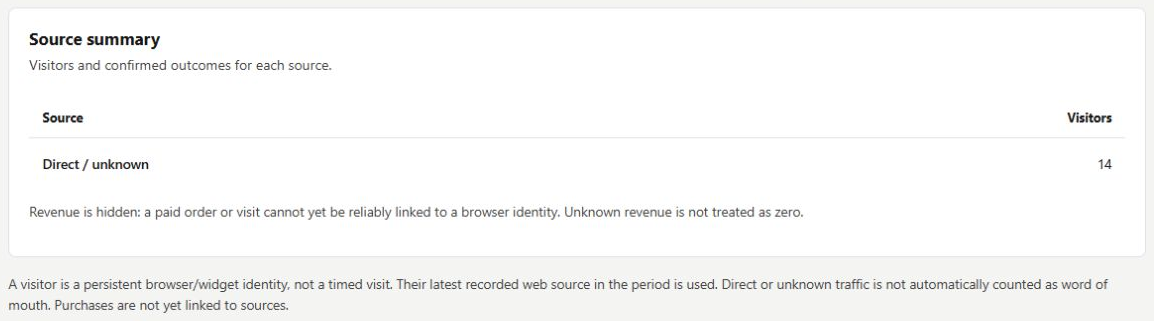
Review the source summary and the note about linking conversations or orders. In this example all measured visitors are Direct / unknown and revenue is hidden because orders cannot be reliably linked to a browser identity. That is a useful coverage statement; it does not prove that marketing produced no visits or sales.
- Unknown attribution should remain unknown.
- Use reliable order links before treating a source table as revenue evidence.
What you can do
Use the visible controls to review the setup and choose the next step.
- Review recorded website visitor and page-entry activity.
- Compare available traffic-source categories.
- See Direct / unknown when attribution is missing.
- Read the source and order-linking coverage notes.
Continue with the Dashboard guides or your inbox.
Good to know
The report uses persistent browser identities. Different devices, browsers or storage states can change that identity, so do not treat it as a verified person count.
Before you begin
Open the intended workspace and review the current state.
- Check the active workspace and your access.
- Review the relevant information and available controls.
- Verify the result after making an intended change.