
Dashboard guide
Find the right tool to improve an answer
Choose catalogue inspection, knowledge enrichment or search comparison according to the problem you are trying to understand.

Short answer
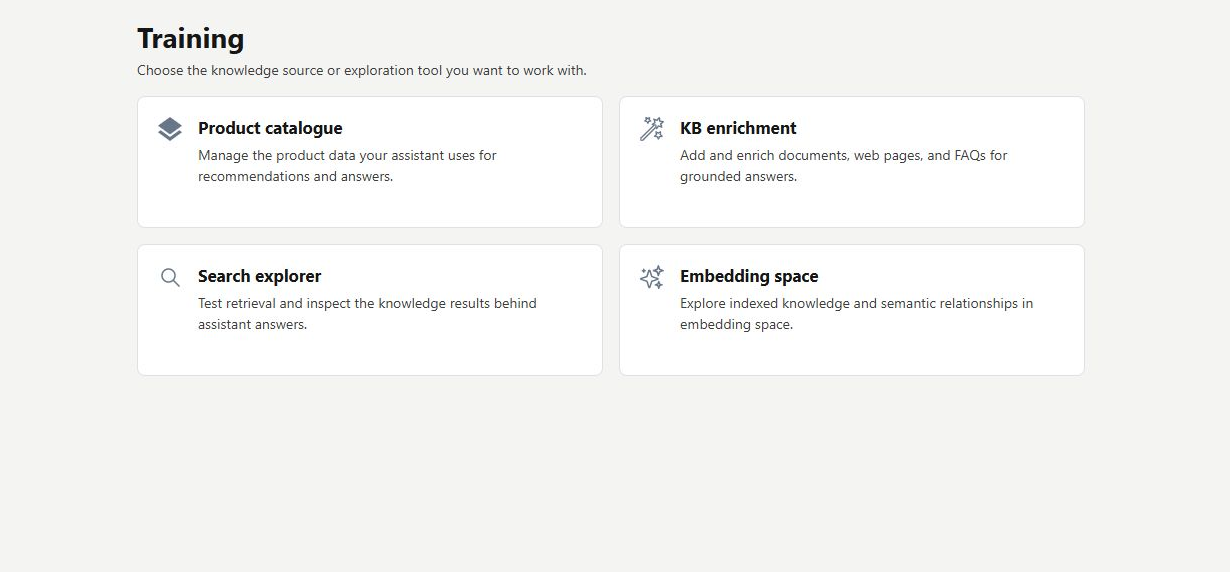
Training brings together inspection tools for the information and product search behind customer answers. Use Product catalogue to inspect synchronized items, Search explorer to compare retrieval methods, and the available knowledge tools to investigate coverage. Start with a real question and improve the relevant source. Opening these tools does not itself retrain a model or change shop data.
Choose a tool for the question
Open AI Assistant > Training. The available choices separate product inspection, knowledge enrichment, search comparison and the embedding-space view. If a shopper cannot find a known item, begin with the catalogue and Search explorer. If a factual explanation is missing, check the relevant knowledge source and its readiness.
Investigate with a representative example
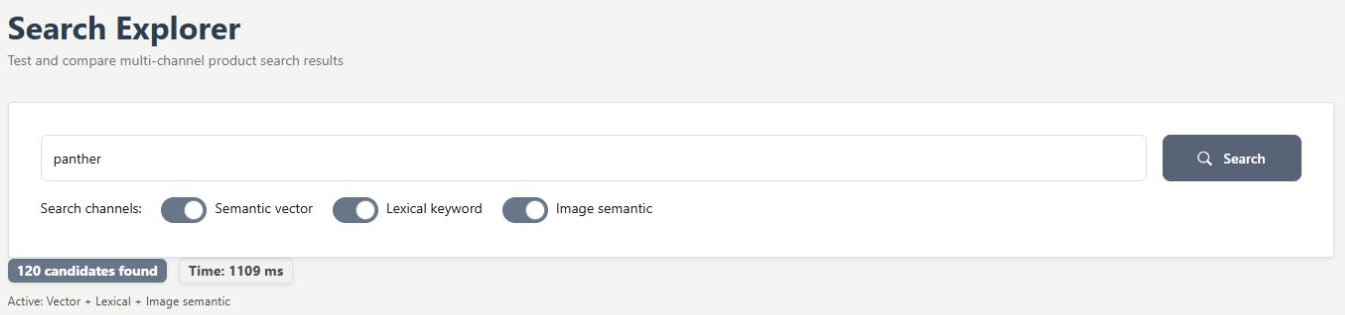
A search for panther shows how the same catalogue query can be compared across semantic, exact-word and image-derived channels. Review the actual product details before deciding whether the result fits. A score or a visually similar item is a clue for investigation, not evidence of stock, a purchase or a customer rating.
- Inspect product facts in the catalogue.
- Compare search methods with the same shopper wording.
- Correct source-owned information where your business maintains it.
What you can do
Use the visible controls to review the setup and choose the next step.
- Navigate between the available answer-inspection tools.
- Match a missing answer to its likely source.
- Inspect catalogue records before relying on recommendations.
- Use representative queries to investigate retrieval.
Continue with the Dashboard guides or your inbox.
Good to know
No. The page is a starting point for inspection tools. An inspected result is separate from an applied source change.
Before you begin
Open the intended workspace and review the current state.
- Check the active workspace and your access.
- Review the relevant information and available controls.
- Verify the result after making an intended change.