
Dashboard guide
Explore a customer journey before planning your own
Use guided scenarios to understand a conversation flow, then choose a realistic first test for your business.

Short answer
Use cases opens predefined examples of customer conversations, from art shopping to hotel services. They help your team discuss the journey and choose a useful test. Examples are demonstrations: their products, outcomes and service situations are not your customer records or evidence that the illustrated capabilities are enabled in your workspace.
Choose the scenario closest to your customer
Open AI Assistant > Use cases and choose an available example. The library groups different customer situations so you can begin with a relevant question rather than a blank conversation. Use the example to discuss what the customer needs, what information supports the answer and where a person should remain involved.
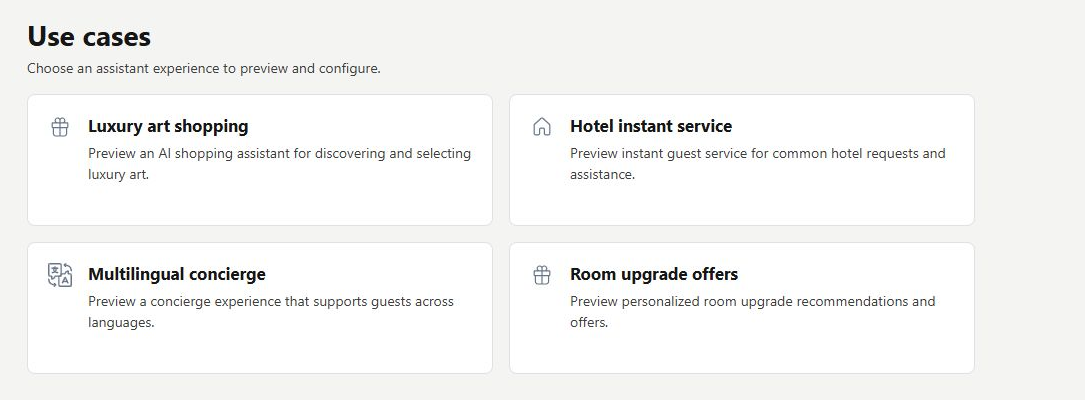
Translate the example into a safe first test
Read the scenario and its customer/assistant messages. The illustration below shows the opening of a predefined shopping example. Its presentation is separate from your real catalogue and permissions. Return to your workspace, supply approved information and try a representative question in Playground before deciding what to offer customers.
- Identify the customer need illustrated by the scenario.
- Check which real sources your business would need.
- Verify the result in your own configured experience.
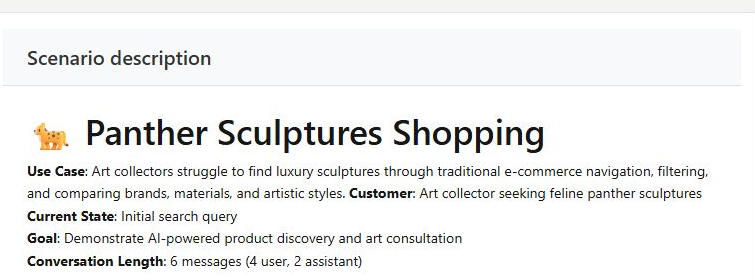
What you can do
Use the visible controls to review the setup and choose the next step.
- Browse available guided scenarios.
- Read a predefined customer journey.
- Discuss source and permission requirements with your team.
- Plan a representative test in your own workspace.
Continue with the Dashboard guides or your inbox.
Good to know
No. It is a demonstration, separate from your live setup.
Before you begin
Open the intended workspace and review the current state.
- Check the active workspace and your access.
- Review the relevant information and available controls.
- Verify the result after making an intended change.