
Dashboard guide
Turn useful website pages into better answers
Discover pages, review what belongs in your knowledge base and follow the readiness of the pages you choose to import.

Short answer
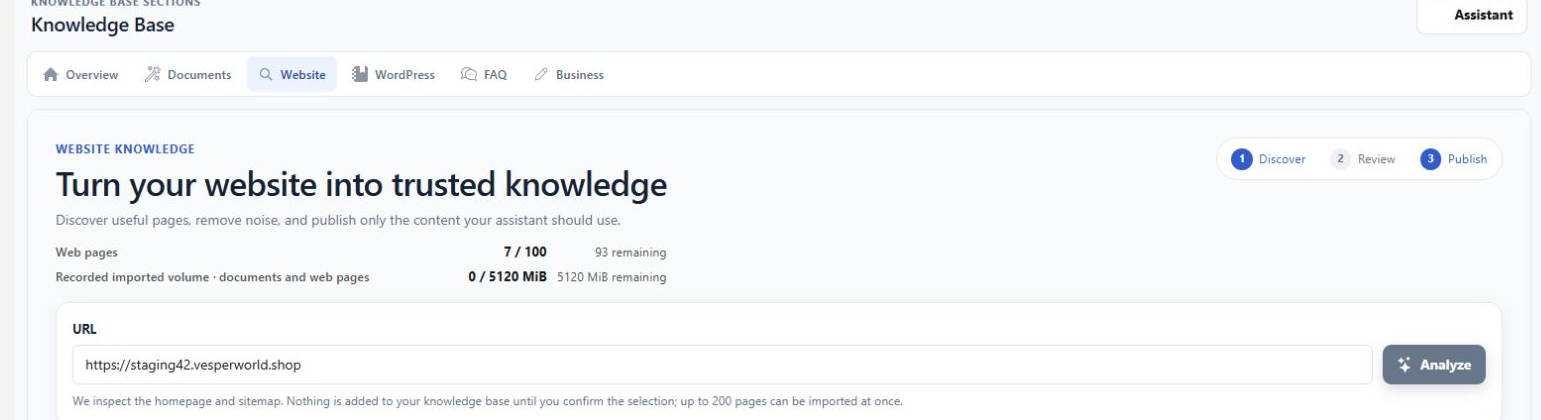
Website knowledge helps you choose which pages should support customer answers. Analyze your website, review the discovered candidates and import the pages that contain useful business information. Follow their preparation and inspect the resulting content. Discovery, selection and readiness are separate stages, so a found address is not automatically a usable source.
Discover first, then choose what belongs
Open Knowledge base > Website and enter the website address. Analyze discovers candidate pages. Review recommended pages and those that need attention before importing them. Prefer useful business references such as your collection, services, visiting information and policies; avoid treating every technical or transactional page as customer knowledge.
Check the page after it is imported
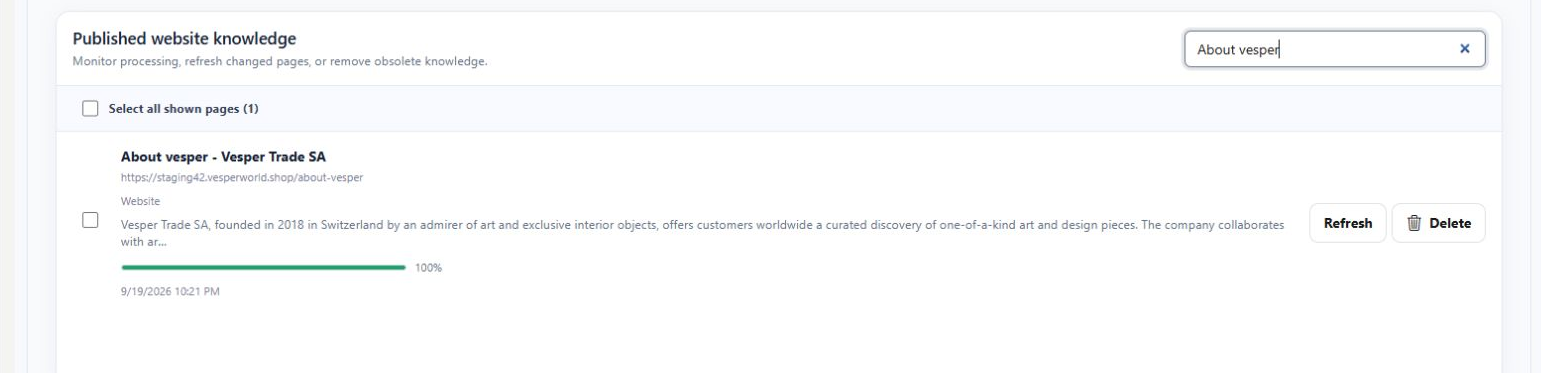
Use the imported-page view and search to find a specific source. Review its title, address, summary and preparation progress. The example is a ready About Vesper page, narrowed by search. When the website changes, use Refresh for the intended page and check the resulting state again.
- A crawl can discover pages whose content should still be excluded.
- A progress indicator describes preparation, not a guarantee that every fact is current.
What you can do
Use the visible controls to review the setup and choose the next step.
- Analyze a website to discover candidate pages.
- Review recommended, needs-review, imported and excluded groups.
- Find an imported page by title or address.
- Refresh selected website knowledge after source changes.
Continue with the Dashboard guides or your inbox.
Good to know
No. Discovery produces candidates for review. Choose the relevant pages and follow the import and preparation steps.
Before you begin
Open the intended workspace and review the current state.
- Check the active workspace and your access.
- Review the relevant information and available controls.
- Verify the result after making an intended change.